“Accept” and “Content-Type” are HTTP Headers which control input and output formats. “Accept” is a request header and “Content-Type” is both request and response header. Let’s see the difference between these headers:
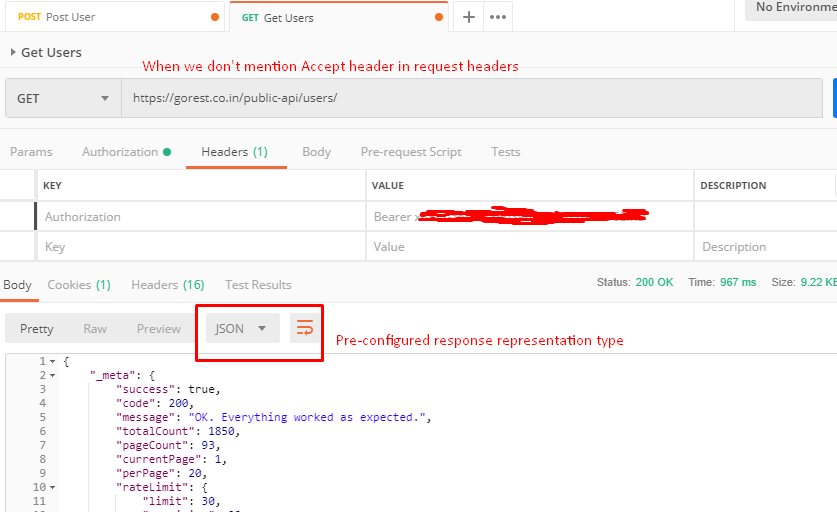
Let’s understand it using a real time example. We must have submitted final year projects in our college and there were a defined format to submit it. For example say format was PDF or printed and binded book. A defined Format makes it easier to understand. The same case is with HTTP methods. When a client sends a request to a server, server returns response and this response may be in any format. So client may mention desired response format using “Accept” request header. If no Accept header is present in the request, the server sends default or pre-configured representation type. So mentioning “Accept” header is optional in request.
As per RFC-7231, The “Accept” header field can be used by user agents to specify response media types that are acceptable. Accept header fields can be used to indicate that the request is specifically limited to a small set of desired types. Some values of Accept headers are application/json , application/pdf, image/gif etc.
Let’s see Accept header in action:
- When we don’t mention “Accept” header:
2. When we mention “Accept” header as “application/xml”:

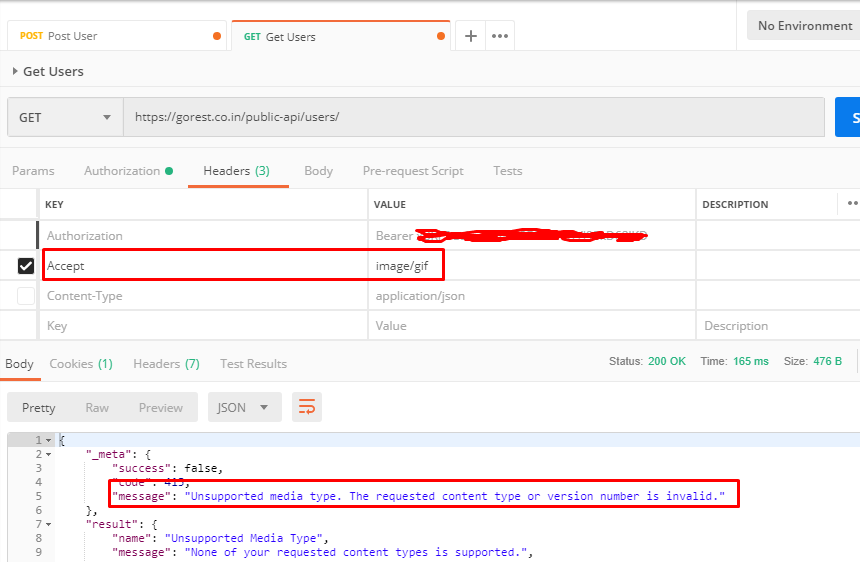
3. When we mention “Accept” header with format which requested API doesn’t support:
We need to send request body to server to get a response. Request body can be JSON , xml , file etc. So using Content-Type header in request headers, we mention in which format we are sending data to server. Some values of Content-Type headers are application/json , application/pdf etc.
In below image, we can see that I have set “Content-Type” as “application/json” and in Body I am passing json data.


If there is mismatch in mentioned Content-Type and actual type of Request body, it may throw an error depends on behavior of requested API.


Note: Content-Type is not only request header. Server also sends this header as response header with the value as asked format or default format.

Note- If we mention “Content-Type” in a GET request, we will not get any error as GET method does not have any body so it is meaningless. It was asked in interview so mentioned here.
More about API Testing in upcoming posts. Stay tuned.
If you have any doubt, feel free to comment below.If you like my posts, please like, comment, share and subscribe.#ThanksForReading
#HappyApiTesting