As a part of Postman Tutorial – End to End, in this post, we will learn Data sharing among requests or chaining requests in Postman.
When we create an account on Facebook then we need to use the same email id and password whenever we need to login to Facebook. If we consider “Registering a user on Facebook” as one action and “Login to Facebook” as another action then we need to perform “Registering a user on Facebook” followed by “Login to Facebook”. We need to use data or output of the first event as an input to another event. This is called data sharing and while testing we do it a lot of times.
If we see Restful-Booker API, they provide two APIs – Create Booking and Get Booking. We get a booking id from Create booking API and that we use to get booking details. While automating these APIs in Postman, we need to do a setup so that a booking id generated from Create Booking API can be passed to Get booking API. In simple words sharing of data between requests in Postman.
If you have used TestNG then we run multiple TestNG classes together so that we can share data among tests. In simple words, we just need to keep entities together so that data sharing is possible. In the Postman tool, we can do this using a Collection. A Collection in Postman is a group of requests which can be executed as a whole using a Collection runner.
- Create a collection in Postman
- Creating shareable data as variables
- Use or get variables in any requests in a collection.
- Run a Collection as a Collection runner.
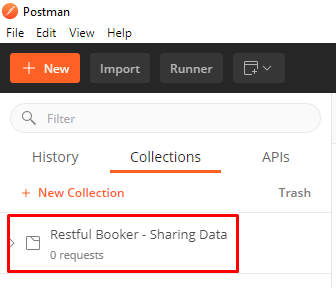
I have created a collection below. If you are not sure how to create a Collection in Postman then please refer to this post.
So the funda of sharing data between requests is simple. You need to save shareable data as a variable using scripts in Postman.
I have created and saved Create Booking request as below:-
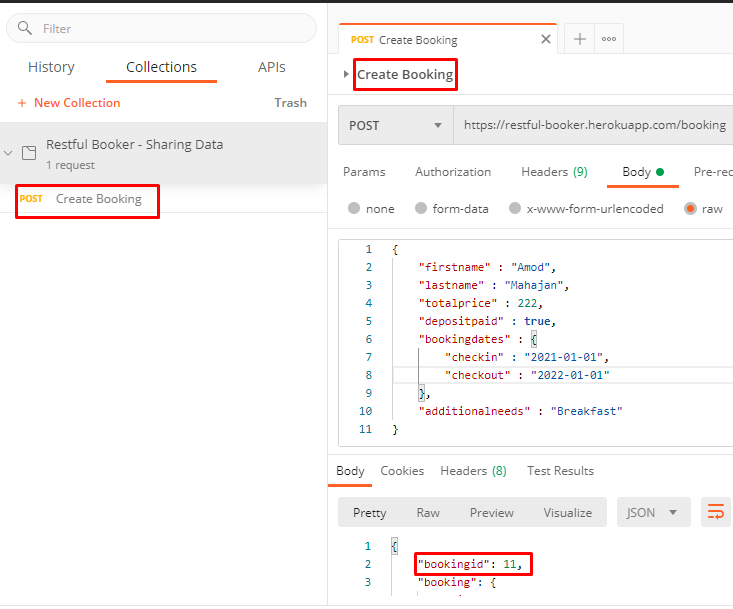
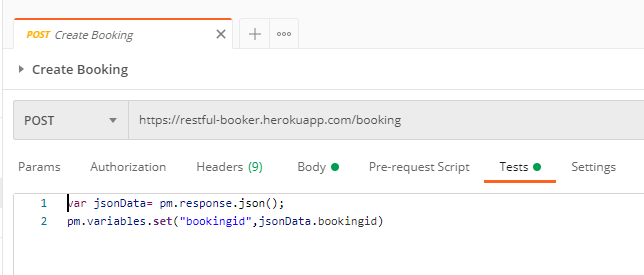
We get a field “bookingid” in response which we want to use for Get booking API. Let’s extract and save this data as a variable using Tests scripts. You can save it as environment, global, or collection variables.
Create another request in Get Booking API and use variable created in the previous step.
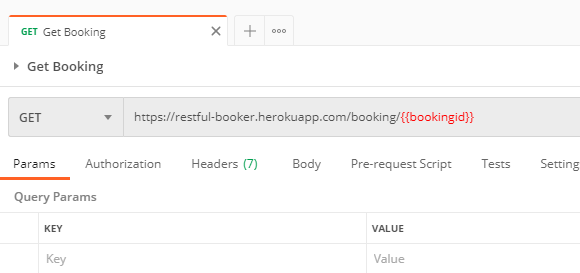
You will be getting an error as “Unresolved variable” for “bookingid” above. Don’t worry about that as this variable is created during runtime and it will have a value.
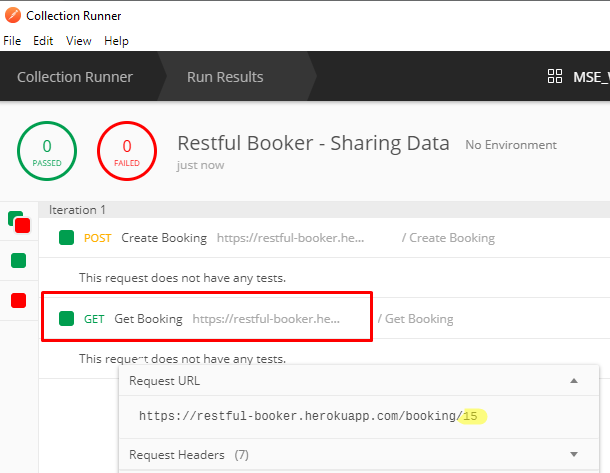
Run the above collection using a collection runner. Remeber indiviudal run of request will not help in this case. Anyway data shairng can be done without Collection as well. I will cover that in next post.
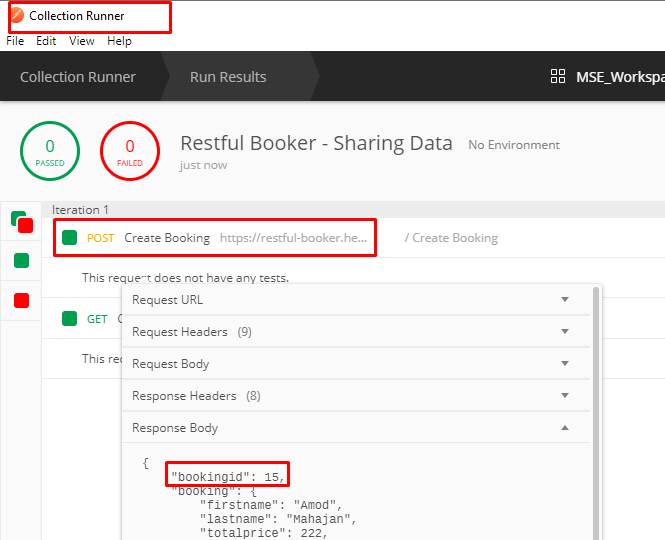
You can see booking id 15 is passed to another request.
You can import the example collection from here.
You can subscribe to my YouTube channel RetargetCommon to learn from video tutorials.
If you have any doubt, feel free to comment below.If you like my posts, please like, comment, share and subscribe.#ThanksForReading
#HappyLearning