We have seen several types of variables in Postman already in previous posts. In this post, we will learn about Local or Temporary variable in Postman.
A Local or temporary variable is created in to memory only during run time and removed once execution is done. As scope of local variable is limited to duration of execution, we can only create and update it in Scripts of Postman.
We can use local variables for below scenarios:-
- Temporarily store a value to be used/reused in other calculation/requests.
- Printing/Debugging the request execution
- Override the global, environment, data and collection variables value as local variable will have highest priority always.
We can create local variables in Postman in two ways:-
- Using JavaScript way ( var or let)
- Using pm sandbox APIs
See the JavaScript syntax below:-
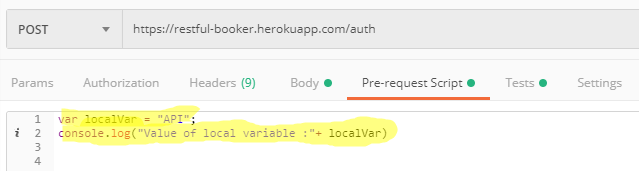
This way is good if we want to store some variable temporary. Like you would like to add prices of all books. You need to have some variable to store current addition. You can create local variables in Pre-request Script and Tests.
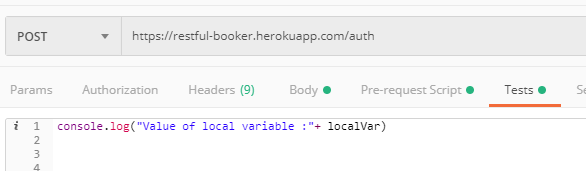
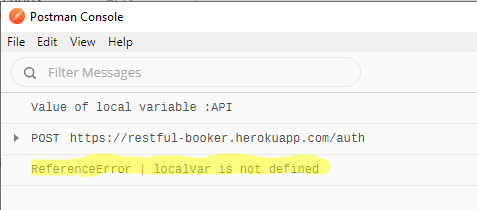
There is an important points about local variables created through JavaScript. You can not use this variable outside of current scope. It means if we create a local variable in “Pre-request Script” of a request, we can not reuse it in Tests tab of same request and in Pre-request and Tests script of any other request and vice – versa. It will give reference error. It restricts scope of local variable again.
Try to use local variable created named “localVar” in Tests tab:-
ReferenceError:-
If we want to have some temporary variable which can be used within collection or shared temporary variables across all request of collection, we can go for this way.
Syntax to create local variable using postman sandbox APIs:-
pm.variables.set(“”,””)
Syntax to get value of created local variable:-
pm.variables.get(“” )
Unlike JavaScript way of creating local variable, postman sandbox API way gives wider scope to local variable. We can use these local variables within collection.
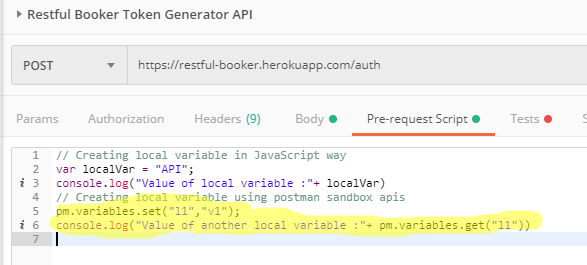
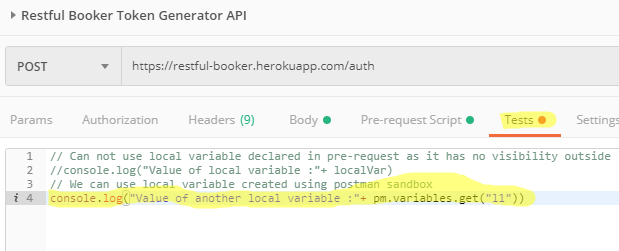
We can use this local variable in other request as well. I just made a copy of above request.
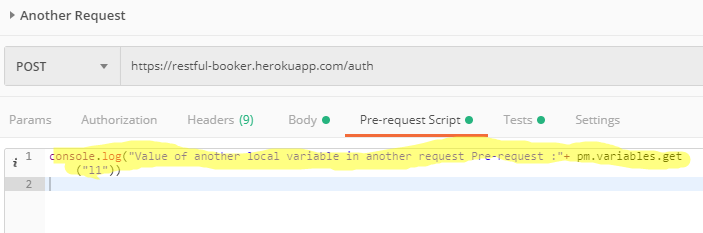
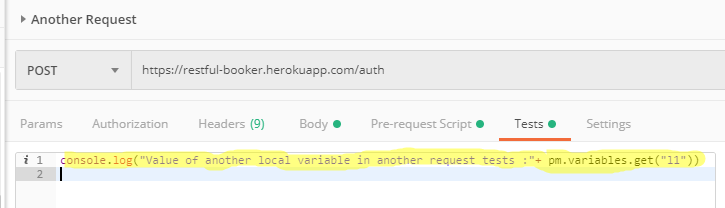
But remember, if local variables are shared with another request, you must need to run using Collection runner. Otherwise it will give you undefined value not reference error like JavaScript way.
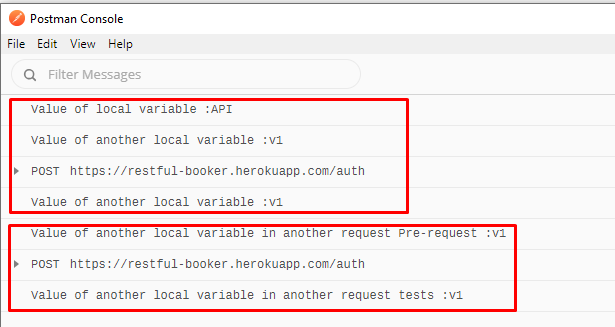
If you have any doubt, feel free to comment below.If you like my posts, please like, comment, share and subscribe.#ThanksForReading
#HappyLearning