As a part of GIT Tutorials End To End, we will learn about the Git Switch command in this post.
I will expect that you are aware of the basic concepts and commands of GIT. But if you are a beginner in GIT then I strongly recommend you to refer GIT Basic Commands and Concepts section on my blog first.
Did you know that I have started a YouTube channel as well and I need your support to make it successful. Please do watch content then comment, like, share, and obviously subscribe.
Let’s clone one of my public repo to practice and learn easily. The same repo I have used in my previous posts. In this repo, I have only the default branch “main” and three commits.
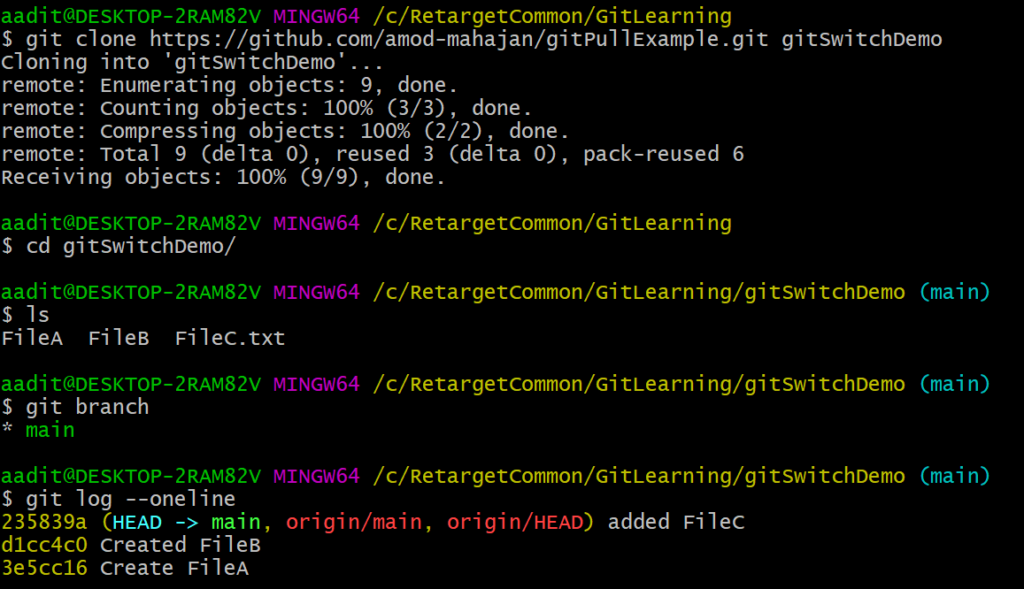
Git switch is a new command introduced in Git version 2.23. It is mainly for creating and switching branches. It is an alternative to the Git Checkout command. We have already learnt to create and switch branches using the Git Checkout command here.
To create a new branch use git switch -c command.
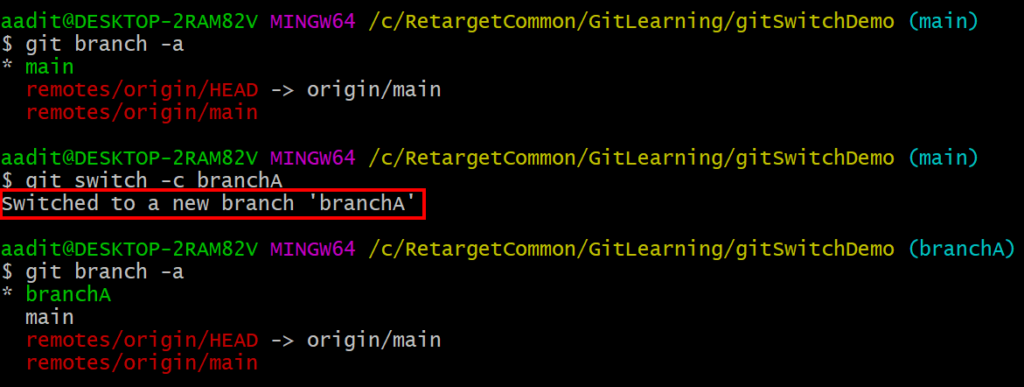
Please note here that you will be switched to the new branch using the git switch command like git checkout.
We know by default a new branch will be created from what HEAD currently points to. In the above command, a new branch will be created from the main branch. But we can create a new branch from another branch as well.
We have created a new branch branchA. Let’s create a new commit in this branch.
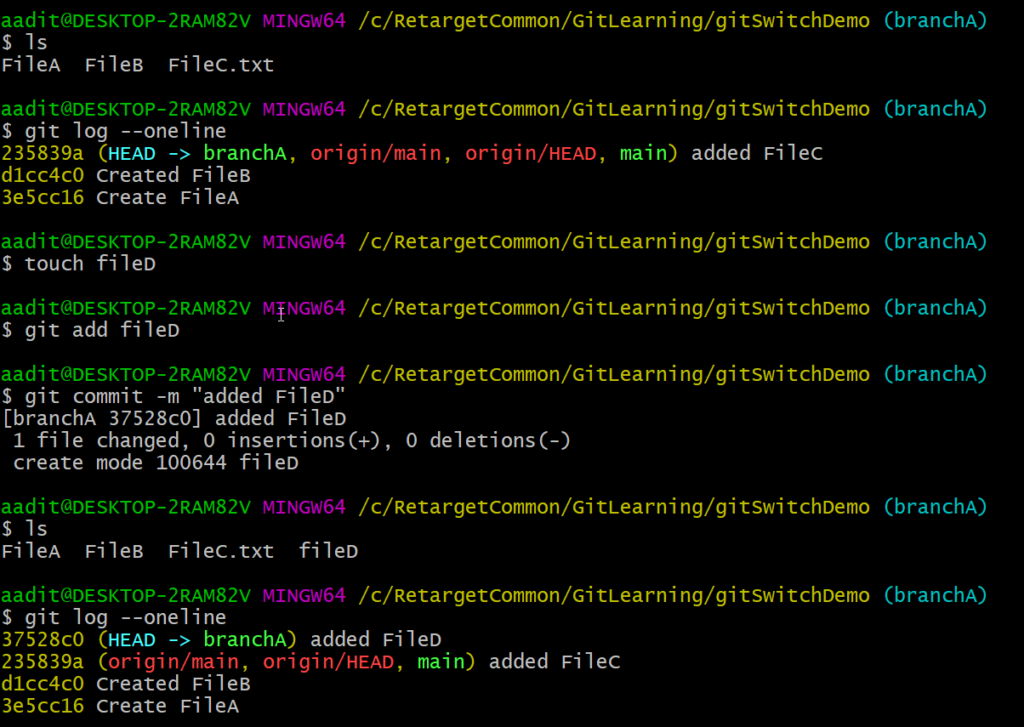
Currently HEAD points to branchA with its latest commit.
 If we create a new branch it will be created from branchA and will have three commits as shown above.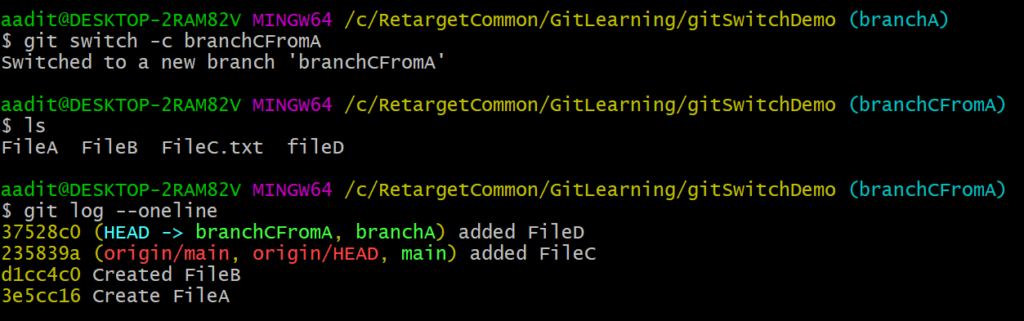
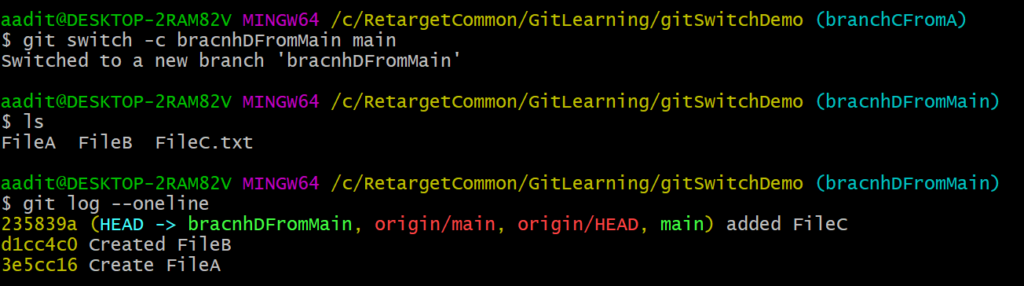
Branch main will still have only two commits as of now. If you want to create a branch from the main branch then you can use git switch -c command.
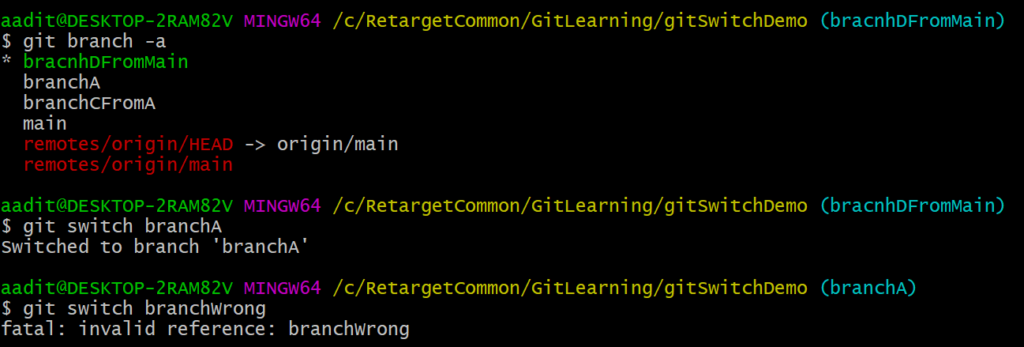
To switch to the existing branch use “git switch ” command. If you provide a non-existing branch name then it will give an error as “invalid reference“.
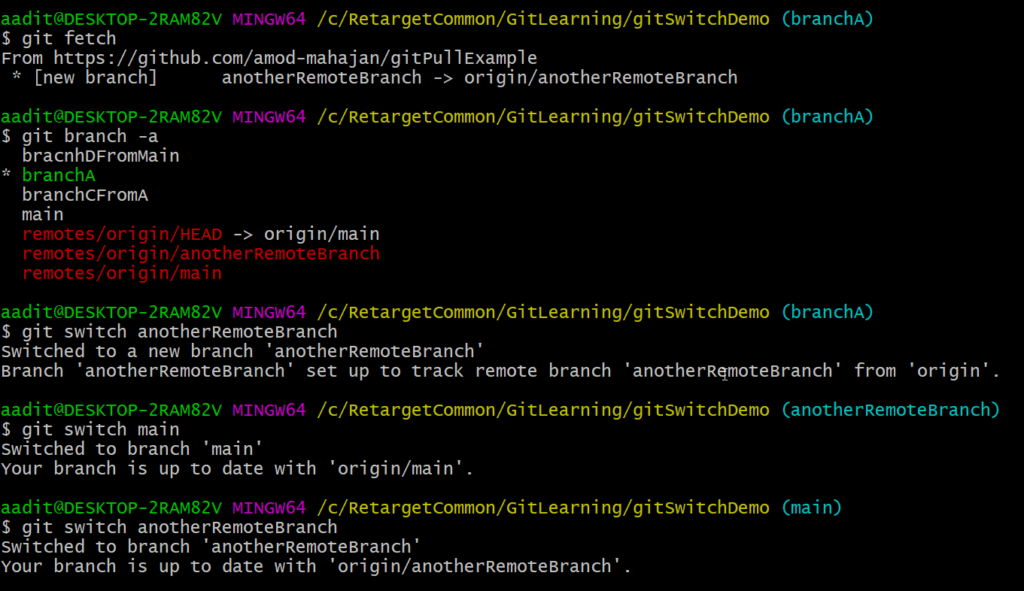
We can directly switch to a remote branch as well. If we pass the remote branch name then a local branch will be created with the same name for the first time and tracking information will be set up. I have created a remote branch using GitHub.
If you have any doubt, feel free to comment below.
If you like my posts, please like, comment, share and subscribe to my YouTube channel.
#ThanksForReading
#HappyLearning